

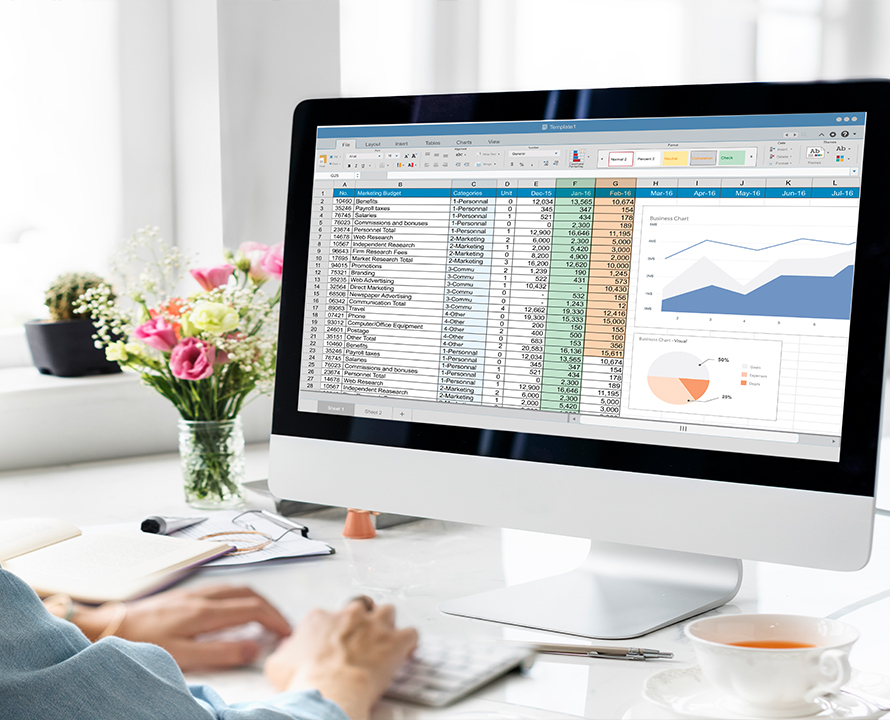
Advance Excel
Module 1
1. Excel References
- Cell Reference
- Absolute and Relative References
- Circular References
- Difference Between Options and Formulas
- Formula Categorisation
- Function Parameters
- Optional and Mandatory Parameters
- COUNT, COUNTA, COUNTBLANK, SUM, TEXT, REPT, CONCATENATE, DELIMITER, LEN
- LEFT, RIGHT, MID, UPPER, LOWER, PROPER, ASCII, CODE
- UNICHAR, UNICODE, ROMAN, ARABIC, ROUND, ROUNDUP, ROUNDBOTTOM
Module 2
2. Conditions and combining of Functions, Error Trapping
- How the Condition works in Excel
- Condition Parameters
- IF (Single and Nested)
- SUMIF, SUMIFS, COUNTIF, COUNTIFS, IFNA, IFERROR
Module 3
3. Search and Lookups
- FIND, SEARCH, VLOOKUP
- HLOOKUP, Transpose, INDEX/MATCH
- Wildcards with Lookups
- Advanced Searching and Data Formatting
- GoTo Formulas
- GoTo Special
Module 4
4. Delimiter and Fixed Width
- Use of Delimiter
- Delimiter Options and Criterion
- When to Use Fixed Width
Module 5
5. Value Formatting
- Number Formats
- Zero Values Formatting
- Formatting a Cell Containing Zero Only
- Decimal Precision Digits
- Currency Formats
- Currency Format Types
- Custom Currency Formats
- Date and Time Formats
- Short and Long Dates
- Extract Date
- DAY, MONTH and YEAR Function
- Current Date and Time, HOUR, MINUTE and SECOND Functions
- Calculation with Dates and Times
- DATEDIF Functions for Specific Date String Calculations
- Number to Date/Time and Vice Versa
- Putting Together Important Date/Time Functions
- Format Customisation
Module 6
6. Cell Formatting
- Merge & Center
- Wrap Text, Fit Width
- Text Direction, Fill Options
- Left Right, Up and Down Fill
- Fill Series, Fill Justify, Flash Fill
- Auto Sum, Fill Colors
- Using Gradient Colors
- In-Built Patterns and User Defined Patterns
- Pictures as Patterns
- Borders and Shading
- Customised Border Colors
- Styles and Weights
- Format Painter
- Singular and Multiple Use of Formatting
- How to Use Paste Special
- Paste Values and Paste Operations
Module 7
7. Conditional Formatting
- Formatting with Conditions
- Format Top/Bottom Values
- Text Formatting, Data Bar
- Icon Set Formatting
- Multiple Formatting using Functions
- Highlight Rows with Condition
- Update and Remove Formatting Rules
- Creating New Formatting Rules
- Checking Data Duplicity
- Checking of Unique and Common Values
Module 8
8. Working with Data
- Sorting and Filtering
- Advanced Searching and Customised Filtering
- Numeric and Color Filters
- Data Validation Rules
- Text and Numeric Validations
- Date and Time Data Validation
- Modify Input/Display Messages
- Using Formulas in Validation
- Data Consolidation
- Import External Data
- Data Connection Using Data Connect History
- Import ASCII Text
- Database Import
- Other Import Options
Module 9
9. Forecasting and Data Analysis
- Data Analysis Concepts
- Goal Seek, Scenario Manager
- Creating Scenarios and Analysis Techniques
- Analytical Reports
Module 10
10. Pivot and Dashboard
- Dashboard Designing in Excel
- Dashboard Components
- Navigation and Linking of Data Sources
- Pivot Table Design
- Pivot Cache and Data Refresh
- Data Source, Use of Tables in Pivots
- Pivot Options and Properties
- Group/Ungroup Pivot Columns
- Filters
- Formatting and Ranking of Pivot Values
- Slicer and Timelines
- Calculated Fields
- Breakup Pivot Data in New Sheets
- Chart and Shapes
- Recommended Charts
- Pivot Charts Options
- Formatting of Chart Objects
Module 11
11. Macros
- What is Macro? Record Macro
- Assign Shortcut Keys for a Macro
- Assign Macro to an Object
- Edit/Modify a Macro
- Run/Play Macro
Module 12
12. More Advanced Concepts of Excel
- Data Entry Form
- Using Camera for Excel Data
- Concepts of Array
- Array with SUM
- Array with VLOOKUP
- OFFSET etc.
Duration Course
- 3 Months